
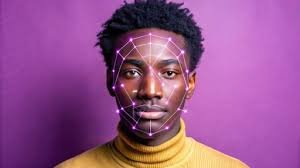
As of June 2025, Magic Hour is the most comprehensive offering available to creators needing both Image to Video AI and Face Swap AI tools, and having both quality and control is important. Other tools accomplish a particular task better, but on average, Magic Hour has the best combination of quality, speed, and ease of use.
Over the past 12 months, I’ve tested over 20 tools that claim to create videos from images or that can swap faces. Most of them were just demos in shiny user interfaces. A couple of them actually worked reliably in real workflows.
This is meant for anyone who needs to get things done: creators who publish content on a regular basis, marketers conducting tests, and builders who are trying to determine what is ready to use in production and what is just a lab concept.
I am going to walk through the most effective and powerful tools Face Swap AI and Image to Video AI to analyze the strengths of each and clarify the weaknesses of all offerings such that I am confident that these tools will match the needs of your workflow.
A Summary of Tools
| Tool | Primary Use Case | Modalities | Platform | Free Plan | Best For |
| Magic Hour | Image to video, face swap, lip sync | Image → Video, Face Swap, Audio | Web | Yes | End-to-end creator workflows |
| Runway | Creative video generation | Text, Image, Video | Web | Limited | Experimental video concepts |
| Pika | Short-form animated videos | Image → Video | Web, Discord | Yes | Social content |
| HeyGen | Talking avatars | Image, Video, Audio | Web | Trial | Marketing explainers |
| DeepFaceLab | Face swapping (local) | Video | Desktop | No | Researchers, power users |
Why Image to Video AI and Face Swap AI Matter in 2025
It is no longer sufficient to have a static image. Social feeds, advertising, onboarding processes, and product demos increasingly favour motion. Moreover, creators desire versatility. With motion added, a single image can be converted into a variety of videos or be adapted for multiple audiences.
Image to Video AI resolves the problem of adding motion to still pictures.
Face Swap AI resolves the challenges of personalization and localization.
These two generative AI tools, when used responsibly, save time and unlock new creative possibilities. When used irresponsibly, the projects start to look fake very quickly.
1. Magic Hour Best Overall Image to Video AI + Face Swap AI
Magic Hour is our first pick because, in our opinion, this is the only service that offers both AI services that look like they were designed for actual, real-life creators.
Magic Hour is one of the very few services I used in quickly moving content pipelines in which speed, consistency and control were paramount, that actually produced outputs that were useful and did not require excessive postediting.
Magic Hour has an Image to Video AI service that creates short video clips that have very smooth and realistic transitions from still images and it offers custom prompts to control the pacing. Magic Hour also has an impressive Face Swap AI service that offers very stable swaps that remain consistent over video frames.
Pros
- Very naturalized image to video without image glitching
- Great and reliable faceswap AI that manages without identity gaps
- Simple UI that is very friendly and easy to use
- Responsive controls without losing balance
- Great for shortform and promotional content without hassle
Cons
- Some of the more advanced tasks require payment
- Doesn’t cater to ultraspecific users that may want to use the bare module of the model
My Take
Being able to seamlessly integrate animation, face swapping, and video tasks into one effective module is very uncommon. It’s especially useful for teams needing a very effective module to work on video content weekly.
Pricing:
Paid tiered pricing based on volume and export quality is available, along with a free version.
2. Runaway: Most Suitable for Conceptual Video Experiments
Runaway is a widely loved creative tool designed with boundary-pushing experimenters in mind. Although the image and video tools are powerful, the results are variable and unpredictable, leading to make retries more likely.
Runaway gives impressive results, but the creativity must be there, otherwise low quality results may come. This is ideal for the conceptual stage and much less ideal for strict production timelines.
Pros
- High quality video generation
- Processes prompts in multiple formats
- Research in progress
Cons
- Quality is inconsistent
- Not suited for face swaps
- Takes time to get the hang of
My Take
In terms of design and concept, Runway is at the top of its class, but if you require more precision and reproducibility to generate Image to Video AI, you should choose Magic Hour.
Pricing:
There is a free version, but it is somewhat restricted. Higher tiers allow more features, especially longer and higher quality videos.
3. Pika – Best for Quick Social Animations
Pika is designed to produce short videos in record time. It is not as feature rich as some other options and prioritizes speed for social media video production.
For videos intended for social media, they are great. Pika is not as capable at complex animations, especially face swaps.
Pros
- Quick video generation
- Good for beginners
- Free version offered
Cons
- Not finetuned control over movement
- Doesn’t have face swapping AI
- High volume outputs are templated
My Take
Lightweight social animation is exactly the target they hit. If the identity of the face needs to be clear or if you want brand consistency, be careful.
Pricing:
Free version of the tool with paid options for heavy usage.
4. HeyGen – The Best Options for Avatar Based Marketing Videos
HeyGen forgoes motion and concentrates on communication by using talking avatars.
There is face swapping but it is also done in the avatars.
Pros
- Animated avatars with real presentation quality
- Great accuracy in lip syncing
- Can be utilized for onboarding and explainers
Cons
- Less room for creative customization
- Lesser control over the final raw output
- Outside the scope of general image animation
My Take
In the context of visual storytelling, HeyGen will fall short. If the sole purpose is communication, it will be adequate. For general image to video ai, it is not ideal.
Pricing:
There is a trial. For branding and exports, paid packages are available.
5. DeepFaceLab – Best for Technical Users Local
DeepFaceLab is powerful but not very user friendly. It is open source, has to be run on a local machine, and is time consuming.
It is a platform I have used for research experiments instead of actual content.
Pros
- Control over face model swap is very high
- No restrictions by platform
- Considerable community guides
Cons
- There is a learning curve
- Does not have image to video ai features
- Setting it up and training is time consuming
My Take
It is a playground for engineers and researchers. For content creators, it will be overkill.
Pricing:
It is free and open source.
How I Chose and Tested These Tools
All tools went through the same evaluation process, consisting of the following steps:
- Input a single image.
- Create a brief video
- Attempt to swap faces across different frames.
- Assess the export quality and consistency.
- Evaluate the speed of processing and overall user interface smoothness.
I tried to assess the following metrics as well:
- Realism of the output
- Level of control the user had versus the ease of use
- Transparency around pricing
- Longevity of the output beyond the examples provided
Any tools that failed to output stable results or required excessive intervention didn’t make the cut
Market Landscape and Trends (June 2025)
The following three trends are the most notable:
- Image to Video AI is replacing stock footage.
Adding animation to existing content has replaced the need for new video sourcing.
- Face Swap AI is shifting toward personalization.
Localized advertising, creator variations, and internal demos have become the standard.
- Allinone platforms are winning.
Magic Hour is a prime example of how to stand out in a market where no creator wants access to five tools for a single workflow.
Many new market entries can achieve longer video coherence, but the solutions are still unreliable.
Final Takeaway
- Best overall: Magic Hour
- Best for experimentation: Runway
- Best for quick social clips: Pika
- Best for avatar marketing: HeyGen
- Best for researchers: DeepFaceLab
If you care about speed, quality, and repeatability, start with Magic Hour. Then test others based on your niche needs.
The right choice depends on what you’re shipping and how often. Try at least two before committing.
FAQ
What is Image to Video AI?
Image to Video AI expands and enhances a single image to form a cohesive, motionfilled video.
Is Face Swap AI safe to use?
If you use it ethically and with proper consent, yes. Most services implement some safety features, but the responsibility is on the user.
Which tool is best for marketers?
Magic Hour and HeyGen.
Do these tools replace video editors?
Not at all. These tools are intended to lower the time spent on production, but still, a human needs to edit and make judgment calls.
Are free plans usable?
For testing purposes? Yes. For actual production purposes, you will need to pay.
When the clock hits June 2025, Image to Video AI and Face Swap AI will transition from initial impressions to realworld functionality. The tools listed above showcase the current cutting edge automated technology and the future trajectory of the sector.
