Close Menu
    Facebook X (Twitter) Instagram
    • Home
    • About Us
    • Contact Us
    • Disclaimer
    • Privacy Policy
    Facebook X (Twitter) Instagram Pinterest Vimeo
    Habit Advisors
    • Home
    • Tech

      Designing Effective Empty States in Web Applications

      June 29, 2026

      Smarter Growth Through Revenue Cycle Outsourcing

      February 20, 2026

      UK ETA: A Complete Guide to the United Kingdom’s Electronic Travel Authorisation System

      January 28, 2026

      Top AI Image to Video & Face Swap Tools in 2025

      December 20, 2025

      The Ethics of Using AI in Legal Practice: What Every Lawyer Must Know

      November 25, 2025
    • Business

      How Business Accountants Support Strategic Planning Initiatives

      June 29, 2026

      4 Ways CPAs Protect Businesses During Financial Audits

      June 23, 2026

      How CFO Advisory Services Turn Bookkeeping Data Into Better Business Decisions

      June 23, 2026

      The Connection Between Strategic Tax Planning And Wealth Building

      June 16, 2026

      Why Accounting Firms Are Expanding Into Strategic Consulting

      June 5, 2026
    • Health

      3 Ways Family Dentistry Combines Comfort And Convenience For Real Life

      June 24, 2026

      Comprehensive Support Through Specialized Therapy Services for Families

      June 19, 2026

      The Role Of Education In Family Dental Wellness Programs

      June 13, 2026

      4 Preventive Dental Care Tips For Busy Families

      June 13, 2026

      4 Signs Your Child May Benefit From Interceptive Orthodontics

      June 9, 2026
    • Entertainment

      How to Choose the Right Portable Stage for Concert Stage Setups

      April 26, 2026

      Choosing the Right Acoustic: Why Santa Cruz Guitars Are Worth the Investment

      September 3, 2025

      Ink and Identity: How Tattoo and Piercing Studios Help You Embrace Your Authentic Self

      June 17, 2025

      The Convenience of Walk-In Tattoos: What to Expect

      June 7, 2025

      The Power of Music Education: Cultivating Creativity and Cognitive Skills

      December 24, 2024
    • Celebrity

      Who Is Chris Potoski? Meet Brandi Love’s Husband and Business Executive

      July 4, 2026

      Who Is Sissi Tuchel? Meet Thomas Tuchel’s Former Wife and Journalist

      July 4, 2026

      Who Is Sergey Bratukhin? Meet the Businessman Also Known as Sergey Young

      July 1, 2026

      Who Is Fabiana Flosi? Meet Bernie Ecclestone’s Wife and Motorsport Executive

      July 1, 2026

      Who Is Gala Talbott? Meet Keith Allen’s Private Daughter

      June 30, 2026
    • Travel

      Discovering the Best Neighborhoods in Murfreesboro, Tennessee

      June 9, 2026

      UK ETA Online Application: The Complete Guide for International Travellers

      April 17, 2026

      Manaslu Circuit Trek vs. Langtang Valley Trek 2025: Which Path Inspires You?

      September 10, 2025

      How to Keep Your Good Name Afloat on a Boat Trip

      August 13, 2025

      Traveling Safely and Responsibly in Desert Destinations

      August 2, 2025
    Subscribe
    Habit Advisors
    Home » Blu-ray Region Expanded: What Is It & How to Play
    Tech

    Blu-ray Region Expanded: What Is It & How to Play

    IQnewswireBy IQnewswireOctober 9, 2025Updated:October 15, 2025No Comments5 Mins Read28 Views
    Share Facebook Twitter Pinterest LinkedIn Tumblr Email WhatsApp Copy Link
    Follow Us
    Google News Flipboard Threads
    Blu-ray
    Share
    Facebook Twitter LinkedIn Pinterest Email Copy Link

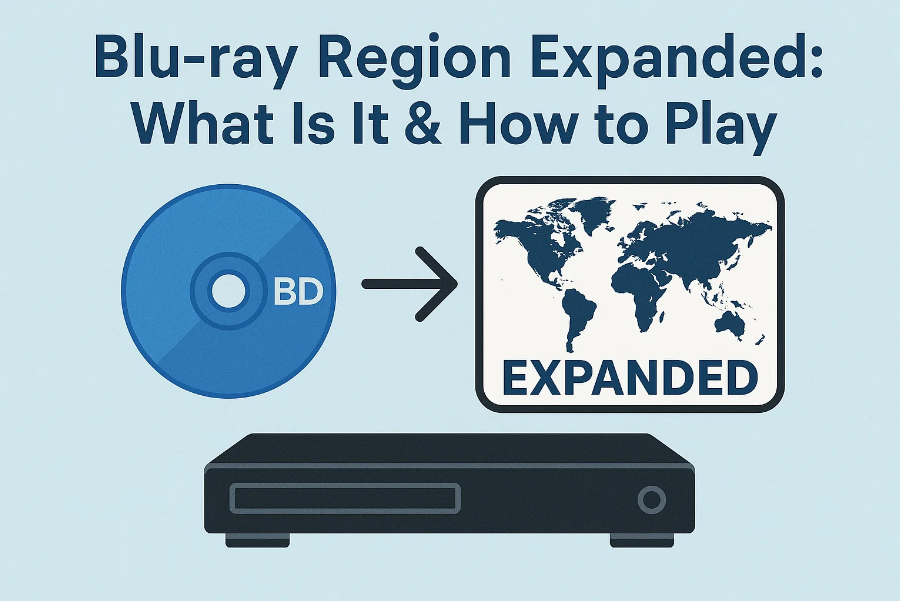
    Blu-ray discs offer stunning video and audio quality, but one thing that continues to confuse buyers and collectors is Blu-ray region codes. What are they, why do they matter, and how can you bypass them to enjoy your favorite movies from anywhere in the world?

    In this guide, we’ll break down everything you need to know about Blu-ray region codes and show you the best ways to play region-locked discs—including using a region-free Blu-ray player, software options, and more.

    1. What Are Blu-ray Regions?

    Blu-ray discs are often manufactured with region-specific codes that restrict playback based on the geographical location of the player. This means a Blu-ray purchased in Europe may not play on a player purchased in North America.

    To combat this, many users opt for a region free Blu-ray player or use software solutions to unlock their discs. But before exploring these options, it’s essential to understand how region coding works.


    2. Blu-ray Region Codes Explained

    Blu-ray discs are divided into three major region codes, labeled A, B, and C. Here’s a breakdown:

    Region A

    • Covers: North America, Central America, South America, Japan, South Korea, Taiwan, and Southeast Asia.

    • Most discs produced in the U.S. and Canada fall under this region.

    Region B

    • Covers: Europe (including the UK), Africa, Australia, New Zealand, and the Middle East.

    • Region B is common for Blu-rays released in the UK, Germany, and other EU countries.

    Region C

    • Covers: China, Russia, India, and most of Central and South Asia (excluding Japan, Korea, and Taiwan).

    • Region C discs are less commonly found in Western markets but are used widely in parts of Asia.

    Region-Free Discs

    • These discs are not locked to any specific region and can be played worldwide.

    • Some studios release movies as region-free to simplify global distribution or cater to international collectors.

    Tip: You can usually find the region code on the back of the Blu-ray case, often near the copyright or studio information.

    3. Why Do Region Codes Exist?

    Region codes were introduced primarily for content control and market segmentation. Studios can:

    • Stagger movie releases across different regions.

    • Adjust pricing based on local markets.

    • Limit the resale or gray-market import of cheaper discs.

    While this may benefit studios, it can be a hassle for collectors and travelers who want to watch foreign films or titles not available in their country.

    How to Tell If a Blu-ray Is Region-Locked

    To check if your disc is region-locked:

    • Look for region symbols (A, B, or C) on the packaging.

    • Check online databases like Blu-ray.com for disc specifications.

    • If it says “Region All” or doesn’t list a code, it’s likely region-free.

    4. How to Play Region-Locked Blu-ray Discs

    Now, let’s get into how you can play Blu-ray discs from different regions. Here are the top methods:

    Option 1: Region-Free Blu-ray Players (Hardware Solution)

    A region-free Blu-ray player is designed to bypass region codes entirely. These players are modified to ignore region locks for both Blu-ray and DVD formats.

    Pros

    • Works with any disc regardless of origin.

    • Reliable, plug-and-play solution.

    • Supports HD and 4K discs (with the right model).

    Cons

    • Often expensive (especially the best models).

    • Not all support 4K—unless you invest in a 4K region free Blu-ray player.

    • Can be hard to find in local electronics stores.

    If you’re looking for the best region free Blu-ray player, look for models that also support UHD 4K playback, Dolby Vision, and multi-format support.

    Option 2: Blu-ray Software Players (Recommended)

    For PC or Mac users, software-based Blu-ray players offer an easier and often free way to bypass region codes.

    One of the best examples is the Leawo Blu-ray Player.

    Key Features:

    • 100% free Blu-ray and DVD playback.

    • Region-free support for Blu-rays and DVDs.

    • Works seamlessly on both Windows and macOS.

    • Supports 4K UHD, Dolby TrueHD, DTS-HD, and more.

    Whether you want to play Region A, B, or C discs, Leawo Blu-ray Player handles them with ease—no hardware modifications needed.

    Also, if you want to support 4K playback on your computer, Leawo offers detailed guidance to get your system ready for ultra-HD video.

    Pros

    • Free to use.

    • Easy to install and operate.

    • Works on laptops and desktops.

    • Plays region-locked and 4K content (with proper hardware).

    Cons

    • Needs a compatible Blu-ray drive.

    • Playback quality can depend on your PC’s specs.

    Option 3: Ripping/Converting Discs

    If you own the disc and want to watch it anywhere, another method is to rip and convert the Blu-ray using software like Leawo Blu-ray Ripper.

    This tool lets you:

    • Back up your Blu-ray movies to your PC.

    • Remove region restrictions.

    • Convert to formats like MP4, MKV, AVI, and more.

    It’s a great option for building a region-free digital movie library.

     Important Note: Ripping Blu-rays may violate copyright laws in some countries. Always check your local regulations and use this method only for personal, legal use.

    Conclusion

    Blu-ray region codes may be frustrating, but they’re not impossible to overcome. Whether you choose a region-free Blu-ray player, software like Leawo Blu-ray Player, or convert your discs with Blu-ray ripping tools, there are effective ways to unlock your movie collection.

    For those seeking flexibility and affordability, software players are the best starting point. But if you’re a collector or watch a lot of foreign content, investing in a 4K region free Blu-ray player may offer the ultimate experience.

    Now that you’re equipped with this knowledge, you can enjoy Blu-ray movies from anywhere in the world—no matter where they were released.

    Share. Facebook Twitter Pinterest LinkedIn Tumblr Email WhatsApp Copy Link
    IQnewswire

    IQnewswire is a contributor at HabitAdvisors.com, sharing the latest insights across technology, gadgets, entrepreneurship, education, finance, health, and more. With a focus on staying current and informed, IQnewswire helps readers stay ahead in today’s fast-paced world.

    Related Posts

    Tech

    Designing Effective Empty States in Web Applications

    June 29, 2026
    Tech

    Smarter Growth Through Revenue Cycle Outsourcing

    February 20, 2026
    Tech

    UK ETA: A Complete Guide to the United Kingdom’s Electronic Travel Authorisation System

    January 28, 2026
    Tech

    Top AI Image to Video & Face Swap Tools in 2025

    December 20, 2025
    Tech

    The Ethics of Using AI in Legal Practice: What Every Lawyer Must Know

    November 25, 2025
    Tech

    How to Access and Save YouTube Private Videos

    October 29, 2025
    Add A Comment
    Leave A Reply Cancel Reply

    Stay In Touch
    • Facebook
    • Twitter
    • Pinterest
    • Instagram
    • YouTube
    • Vimeo
    Don't Miss

    Who Is Chris Potoski? Meet Brandi Love’s Husband and Business Executive

    By Jason CarterJuly 4, 20260

    Chris Potoski is an American businessman and entrepreneur best known publicly as the husband of…

    Who Is Sissi Tuchel? Meet Thomas Tuchel’s Former Wife and Journalist

    July 4, 2026

    Who Is Sergey Bratukhin? Meet the Businessman Also Known as Sergey Young

    July 1, 2026

    Who Is Fabiana Flosi? Meet Bernie Ecclestone’s Wife and Motorsport Executive

    July 1, 2026
    Top Posts

    Roger Bellamy Dancer: The Legacy and Tragic Death Cause

    February 11, 2024438 Views

    Who is Brian Atlas? Everything About Host of YouTube Dating Podcast “Whatever”

    November 11, 2024411 Views

    Top 10 Facilitation Methods Every Modern Facilitator Should Know

    May 26, 2025398 Views

    Tom Shillue: Age, Height, Net Worth, Career, Wife, and Everything to Know

    March 25, 2026322 Views
    About Us

    HabitAdvisors.com is a digital magazine that shares the Latest news on various topics like technology, gadgets, entrepreneurship, education, finance, health, news, and business. We also cover the latest news in the entertainment industry, from movies to TV shows.

    We're accepting new partnerships right now.

    Email Us: info.habitadvisors@gmail.com

    Facebook X (Twitter) Pinterest YouTube WhatsApp
    Our Picks

    Who Is Chris Potoski? Meet Brandi Love’s Husband and Business Executive

    July 4, 2026

    Who Is Sissi Tuchel? Meet Thomas Tuchel’s Former Wife and Journalist

    July 4, 2026

    Who Is Sergey Bratukhin? Meet the Businessman Also Known as Sergey Young

    July 1, 2026
    Most Popular

    The Psychology of Retirement: Adjusting to a New Lifestyle

    May 15, 20243 Views

    Treatment Options for Common Shoulder Injuries

    May 25, 20243 Views

    Tips for Choosing the Right Performance Exhaust System for Your Vehicle

    May 28, 20243 Views
    © 2026 - All Right Reserved HabitAdvisors.com
    • About Us
    • Contact Us
    • Disclaimer
    • Privacy Policy

    Type above and press Enter to search. Press Esc to cancel.